
How to install a dash cam with reverse camera from AliExpress?
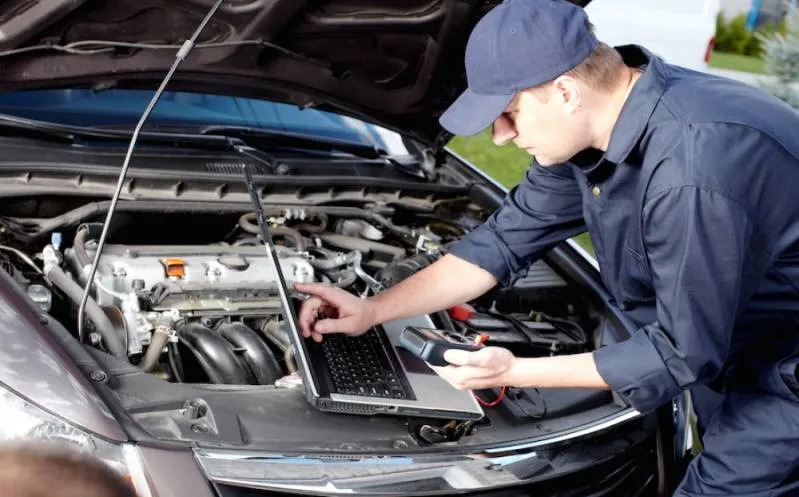
Installing a dash cam with a reverse camera from AliExpress can significantly enhance your driving experience and safety. This detailed guide will walk you through the installation process, providing insights into the tools needed and answering common questions users have. By the end of this article, you should feel confident in purchasing and installing your dash cam.
Why You Need a Dash Cam
In today’s world, having a dash cam is more important than ever. These devices help document accidents, provide evidence in disputes, and can even capture unexpected events on the road. When combined with a reverse camera, they offer a comprehensive view of your surroundings. Here are some reasons why you should consider installing one:
- Evidence in Case of Accidents: In the event of a collision, dash cams can provide crucial information about how the accident occurred.
- Insurance Benefits: Many insurance companies recognize the value of dash cams and offer discounts for drivers who have them.
- Enhanced Safety: A reverse camera can help eliminate blind spots, making it easier to park and navigate tight spaces.
Choosing the Right Dash Cam with Reverse Camera on AliExpress
Before diving into the installation process, it’s essential to choose the right product. Here are some tips on how to select a quality dash cam from AliExpress:
- Check Reviews: Look for products with high ratings and numerous reviews.
- Consider Features: Ensure the dash cam has features like loop recording, night vision, and a wide field of view.
- Warranty and Support: Opt for sellers that offer warranty and customer support.
What You Need for Installation
Having the right tools and materials can make the installation process much smoother. Here’s a list of what you’ll need:
- Dash Cam Kit: Includes the dash cam, reverse camera, and necessary cables.
- Screwdriver: A Phillips screwdriver will work for most vehicles.
- Wire Strippers: Useful for connecting wires when necessary.
- Fuse Tap Kit (optional): For connecting the camera to the car’s power source.
- Tape or Zip Ties: To secure wires and keep the installation neat.
Step-by-Step Installation Guide
Now that you’ve gathered your materials and selected a dash cam, let’s take a closer look at how to install it in your vehicle.
Step 1: Prepare the Vehicle
Before installation, ensure your vehicle is parked in a safe location and that the ignition is off. This will prevent any accidental power surges or short circuits during installation.
Step 2: Install the Dash Cam
To install the front dash cam:
- Choose the Location: Select a mounting location on your windshield that does not obstruct your view. Usually, behind the rear-view mirror is ideal.
- Clean the Windshield: Use a glass cleaner to remove any dirt or residue where you’ll place the dash cam.
- Mount the Dash Cam: Use the provided adhesive mount or suction cup to secure the dash cam in place.
- Connect Power Cable: Route the power cable from the dash cam to the car charger socket or use the hardwiring method for a cleaner look.
Step 3: Install the Reverse Camera
The installation process for the reverse camera can be slightly different. Here are the steps to follow:
- Locate the Mounting Position: Choose a location for the reverse camera, typically just above the rear license plate.
- Drill a Hole (if necessary): Some installation will require drilling a small hole for the camera cable. Make sure to measure accurately to avoid any mistakes.
- Secure the Camera: Follow the manufacturer’s instructions to mount the reverse camera securely.
- Connect the Camera to the Power Source: Once the camera is installed, connect the wires to the vehicle’s reverse light or battery. If using a fuse tap, this will simplify the process.
Step 4: Run the Cables
Carefully run the camera cables along the sides of the vehicle, using tape or zip ties to keep them secured and out of sight. Ensure they do not interfere with any moving parts.
Step 5: Test the Installation
Once installed, it’s time to test your setup:
- Start the Vehicle: Turn on your car and check if the dash cam powers on.
- Test the Reverse Camera: Shift your vehicle into reverse to ensure the reverse camera activates and displays a clear image on your monitor or dash cam screen.
Common Issues During Installation
Even with careful preparation, some issues might arise during installation. Here’s how to troubleshoot common problems:
- Dash Cam Doesn’t Turn On: Ensure all connections are secure and check the power source.
- Reverse Camera Has No Image: Verify connections and ensure the camera is powered. Check for damage to the cables.
- Wires Are Exposed: Use tape or zip ties to secure any loose wires to prevent damage while driving.
Frequently Asked Questions
With the installation complete, let’s address some common questions that many users have about dash cams and reverse cameras:
How Long Does the Installation Take?
The installation process typically takes between 30 minutes to 1 hour, depending on your experience level and the complexity of the setup.
Can I Install the Dash Cam Without Professional Help?
Yes, most dash cams come with detailed instructions, and many users can install them independently with basic tools.
Will My Warranty Be Affected by Installation?
In most cases, installing a dash cam should not void your vehicle’s warranty, but it’s always good to check your vehicle’s warranty terms.
Conclusion
Installing a dash cam with a reverse camera from AliExpress can be an empowering experience, enhancing your vehicle’s safety and providing peace of mind. With the right tools, a strategic approach, and this informative guide, you’ll be well-prepared to complete the installation. Enjoy your new dash cam, and drive safely!

LINK:
If you’re looking to enhance your vehicle’s safety and security, installing a dash cam with a reverse camera from AliExpress is an excellent choice. This device can protect you from accidents and provide evidence in case of disputes. In this guide, you will find detailed steps to install your dash cam effectively, along with tips for using it to maximize its benefits.
How to Install a Dash Cam with Reverse Camera from AliExpress
Installing a dash cam with a reverse camera is a simple process. Follow these steps:
- Gather Tools: You’ll need a flathead screwdriver, wire strippers, and electrical tape.
- Attach the Dash Cam: Mount the front camera on your windshield using the provided adhesive.
- Connect the Power Cable: Plug the power cable into your car’s 12V socket or hardwire it for a cleaner look.
- Install the Reverse Camera: Place the rear camera near your license plate and connect it to the front camera.
- Test the Setup: Check both cameras to ensure they function correctly while driving and reversing.
FAQ
1. What tools do I need to install my dash cam?
You will need a flathead screwdriver for mounting, wire strippers for electrical connections, and electrical tape for securing wires. Some kits may come with the necessary tools and instructions.
2. How do I mount the dash cam?
Clean the area of the windshield where you want to mount the dash cam, peel off the adhesive backing, and press the camera firmly against the glass. Ensure it’s positioned for optimal recording.
3. Can I hardwire my dash cam?
Yes, most dash cams can be hardwired directly to your vehicle’s fuse box for a cleaner look without visible wires. Ensure you follow the manufacturer’s instructions carefully when doing this.
4. How do I connect the reverse camera?
Route the camera wire from the rear camera to the front dash cam, connecting it according to the manufacturer’s instructions, usually via a click-in connector. Use electrical tape to secure connections.
5. Do I need additional cables?
Typically, your dash cam kit will come with the necessary cables, including power cords and video cables for connecting the reverse camera. Always check the contents before installation.
6. Where should I place the reverse camera?
The reverse camera should be installed near your license plate for the best view when backing up. Ensure it is secure and does not obstruct any lights or numbers.
7. Can I remove and reuse the dash cam?
Yes, if you need to uninstall the dash cam, be careful when removing the adhesive mount and wires. You can often reuse the dash cam in another vehicle, but you may need to purchase new adhesive.
Conclusion
Installing a dash cam with a reverse camera can greatly enhance your vehicle’s safety. By following the steps outlined above and consulting the FAQ section, you can ensure a successful installation. This investment not only protects you but also gives you peace of mind while driving. Don’t wait any longer; improve your driving experience today!
Parceiros:
Related Post
Are LED dome lights from AliExpress flicker-free and energy efficient?
“`html As LED dome lights têm se tornado cada vez mais populares, especialmente entre os [...]
What are the best license plate holders on AliExpress?
“`html What Are the Best License Plate Holders on AliExpress? If you’re looking to enhance [...]